

Your Gmail, Google Drive & Photos Could Be Deleted – Here’s What You Need to Know
Dear All, here we will find the details about “Your Gmail, Google Drive & Photos Could Be Deleted – Here’s What You Need to Know iiQ8” Google has updated its account policies – and if you’ve been inactive for too long, your account and all its content (including emails, files, and precious photos) might be permanently deleted.
This change, which started rolling out in phases, has serious implications for anyone with a personal Google account, especially if you haven’t used it in a while. Whether you store family memories in Google Photos, important documents in Google Drive, or years of conversations in Gmail — now is the time to act.
Let’s break down what these changes mean, what you need to do to keep your data safe, and how to avoid unpleasant surprises in the future.
🧨 What’s Changing in Google’s New Policy?
Google is implementing stricter rules for account activity and storage management. These are the key changes you need to be aware of:
- Inactivity = Deletion
If your Google account is inactive for 2 years (24 months), Google may delete the account and its contents — including Gmail, Google Drive, and Google Photos.
This applies to personal accounts only. Business or school accounts are not affected.
- Over Storage Limit = Content Removal
If you exceed your storage limit and don’t free up space for 2 consecutive years, Google reserves the right to start deleting your content from Gmail, Drive, and Photos to make space.
- Separate Activity Needed for Google Photos
Just using Gmail or Drive isn’t enough — if you want your Google Photos content to stay safe, you need to log in and use Google Photos specifically at least once every 2 years.
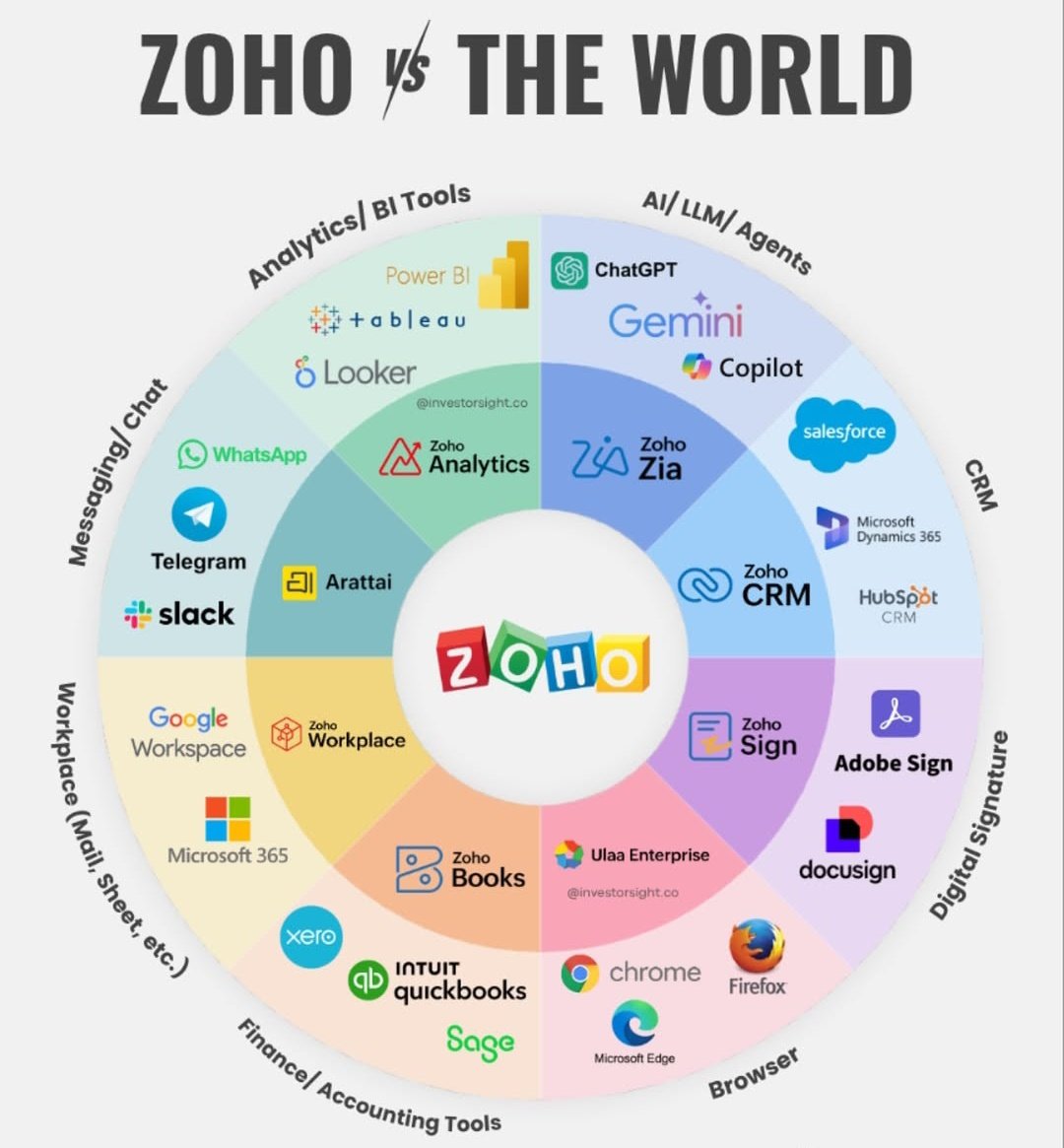
Are you Supporting Indian 🇮🇳Innovation ?
👉#Arattai in place of WhatsApp
👉#ZohoMail in place of Gmail
👉#Mappls in place of Google Maps
👉#BHIM/Paytm/PhonePe in place of GPay
👉#Zohosheet in place of Google sheet
👉#JioSphere in place of Chrome
👉#Zohomeet in place of Google meet
👉#Nyburs in place of Instagram/X
👉#Zohocalendar in place of Google Calendar
👉#ZohoVault in place of Google Password Manager
👉#JioHotstar in place of Netflix
👉#ZohoOneAuth in place of Google / Microsoft Authenticator
👉#Zohowork drive in place of Google Drive
👉#ZohoCliq in place of Microsoft team
👉#Zohowriter in place of Google docs
Swadeshi options tht r reliable, independent & secure.
Share max all Indians, including ur friends & family. Help them get onboarded too.
💡 Why Is Google Doing This?
Google says these changes are necessary to:
- Improve account security by removing unused accounts that are more vulnerable to hacking.
- Free up server space and resources consumed by data that’s no longer needed.
- Bring their practices in line with industry standards for cloud storage and data retention.
Inactive accounts are often neglected — with weak passwords and no two-step verification — making them easy targets for cybercriminals. Clearing them out helps improve overall platform security and performance.
Your Gmail, Google Drive & Photos Could Be Deleted – Here’s What You Need to Know
✅ How to Keep Your Account & Data Safe
Don’t panic — your account won’t be deleted overnight. Google will send multiple warnings before taking any action. But you should still take these simple steps to ensure your important files and memories stay protected:
- Sign in at least once every 2 years
Just logging in and checking your emails or files will reset the activity timer.
- Engage with your content
Open emails, send a message, edit a file on Drive, or view a photo — this shows that your account is active.
- Use Google Photos separately
Make sure to log in to Google Photos and interact with your images there. This is essential to prevent your photos from being flagged as inactive.
- Manage your storage
Check your Google storage usage. Delete unnecessary files or emails, or consider upgrading to Google One for more space.
- Set up recovery options
Ensure your recovery email and phone number are up-to-date so you’ll receive alerts before any action is taken on your account.
- Back up your data regularly
Download and save copies of your important emails, documents, and photos using Google Takeout or other backup tools.
- Use Google’s Inactive Account Manager
This tool lets you decide what should happen to your data if you stop using your account — including sending your data to a trusted contact or auto-deleting it after a set period.
📌 Quick Recap – What Triggers Account Deletion?
| Condition | Time Limit | Risk |
| Inactive Google account | 2 years | Account & data deletion |
| Over storage quota | 2 years | Deletion of stored content |
| Not using Google Photos | 2 years | Photos may be deleted |
Arattai Vs WhatsApp – Can Arattai challenge WhatsApp’s Dominance? iiQ8 Info
🧠 Top 5 FAQs About Google’s New Deletion Policy
- Will Google delete my account without warning?
No. You’ll receive multiple email reminders before any action is taken. Make sure your recovery info is current.
- What happens to YouTube if my Google account is deleted?
Your YouTube channel and videos could be affected if the Google account is deleted. Always keep your account active.
- Does just staying signed in count as activity?
Not always. You must interact with content — like reading or sending an email, or using Drive or Photos.
- What if I have important emails and documents?
Back them up using Google Takeout or keep your account active to avoid losing access.
- Can I recover my account after deletion?
Once deleted, it may be impossible to recover your account or its data. Prevention is key.
Google account deletion, Gmail Drive Photos policy, inactive Google account, Google storage limit, Google account backup
- What happens if my Google account is inactive
- How to stop Google from deleting my photos
- Gmail storage exceeded, now what
- Protect Google account from deletion
- Backup Google data easily
#GooglePolicy #Gmail #GooglePhotos #GoogleDrive #CloudStorage #AccountSecurity #DataBackup #TechTips #DigitalSafety
Google’s updated policy isn’t meant to scare users — it’s part of a broader push to clean up abandoned data and improve security. But it does mean you need to stay aware and active. With a little attention every year or so, you can easily protect your account from deletion and keep your valuable content intact.
✅ So take a moment today — log in, check your files, and make sure your memories and data are safe.